Information sheet
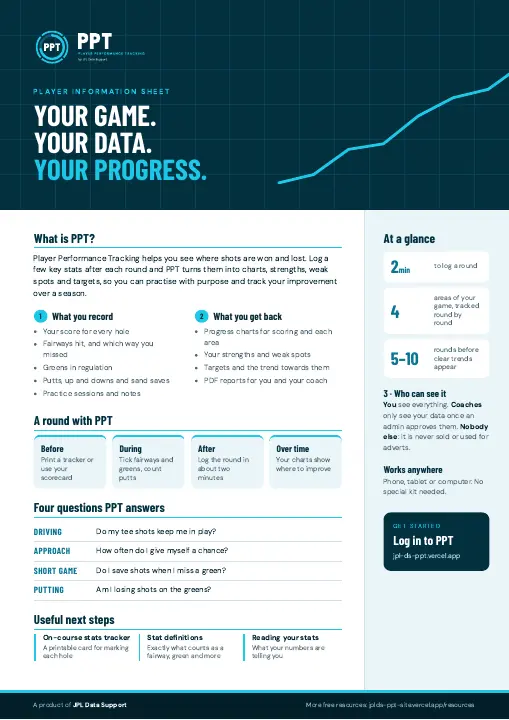
Player information sheet
What PPT is, what you record after a round, what you get back and who can see it.
- Players
Leaflet · For parents and carers
Your child’s club uses Player Performance Tracking to help young golfers see how they are improving. Here is what it is, how their data is looked after, and how you can help, without adding pressure.
In plain English
After a round, your child logs their score and a few simple numbers: how many fairways they hit, how many greens they reached and how many putts they took. PPT turns these into charts that show what is improving and what to practise next.
Their coach can use the same charts to plan lessons, so practice time goes where it helps most.
to log a round, on a phone, tablet or computer.
Charts show improvement over weeks and months, not just one score.
Knowing what to work on makes practice shorter and more rewarding.
Your child’s data
Read the full privacy policy, or ask your club’s junior organiser or welfare officer.
How you can help
Young golfers improve fastest when golf stays fun and the pressure stays low. Small things from you make a big difference.
Conversation starters
Looking at progress together
One round can be a great day or a tough one. The value of PPT is the picture it builds over a season.
Ask them to show you their charts and explain what they see. It is their game and their data.
Trends start to mean something after five to ten rounds.
There is almost always an area that is getting better. Start there.
If something stands out, encourage them to raise it at their next lesson.
Questions parents ask
That is between you, your child and the club. Many juniors enjoy seeing their progress, but golf is golf with or without the numbers.
The easiest way is to look at it with your child. If you have questions about access, your club’s junior organiser can help.
An admin at your club or academy approves each coach request. Coaches cannot give themselves access.
Speak to the club, who will update coach access. You can also contact us with any questions about data.

A guide for parents and carers
Your child’s club uses Player Performance Tracking to help young golfers see how they are improving. Here is what it is, how their data is looked after, and how you can help, without adding pressure.
In plain English
After a round, your child logs their score and a few simple numbers: fairways hit, greens reached and putts taken. PPT turns these into charts that show what is getting better and what to practise next.
Their coach can use the same charts to plan lessons, so practice time goes where it helps most.
Your child’s data
How you can help
Young golfers improve fastest when golf stays fun and the pressure stays low. Small things from you make a big difference.
Conversation starters
Progress together
A product of JPL Data Support
Keep going
What PPT is, what you record after a round, what you get back and who can see it.
Set up roles, approve coaches, roll PPT out to a squad and look after junior players’ data.
Look back on your season area by area, audit your practice and set your goals for next year.
A new version of this site is available.Refresh to see the latest updates.